
Short answer: AI-written plugin code usually works, but it isn’t safe by default. The good news is that you don’t need to read the code to fix that. You tell the AI to apply five checks (sanitize input, verify nonces, check capabilities, escape output, and use a real file structure) and then make it show you where it applied each one.
I’ve been doing WordPress for 12 years and I’ve taught over 160,000 students on Udemy. Lately I build plugins with AI, and the part almost nobody talks about is the part this article is about: what’s wrong with the plugin the AI just gave you.
I built a working plugin in 7 minutes. Then I checked nothing.
In my free training, I open Claude in a browser and type one prompt:
Build a WordPress plugin as a single PHP file that adds a floating WhatsApp chat button to the bottom right corner of every page. Include an admin settings page to set the phone number and greeting message. Make it mobile responsive and follow WordPress coding standards.
A few minutes later I download the PHP file, upload it to a temporary WordPress site, and it works. Floating button, settings page, the lot.
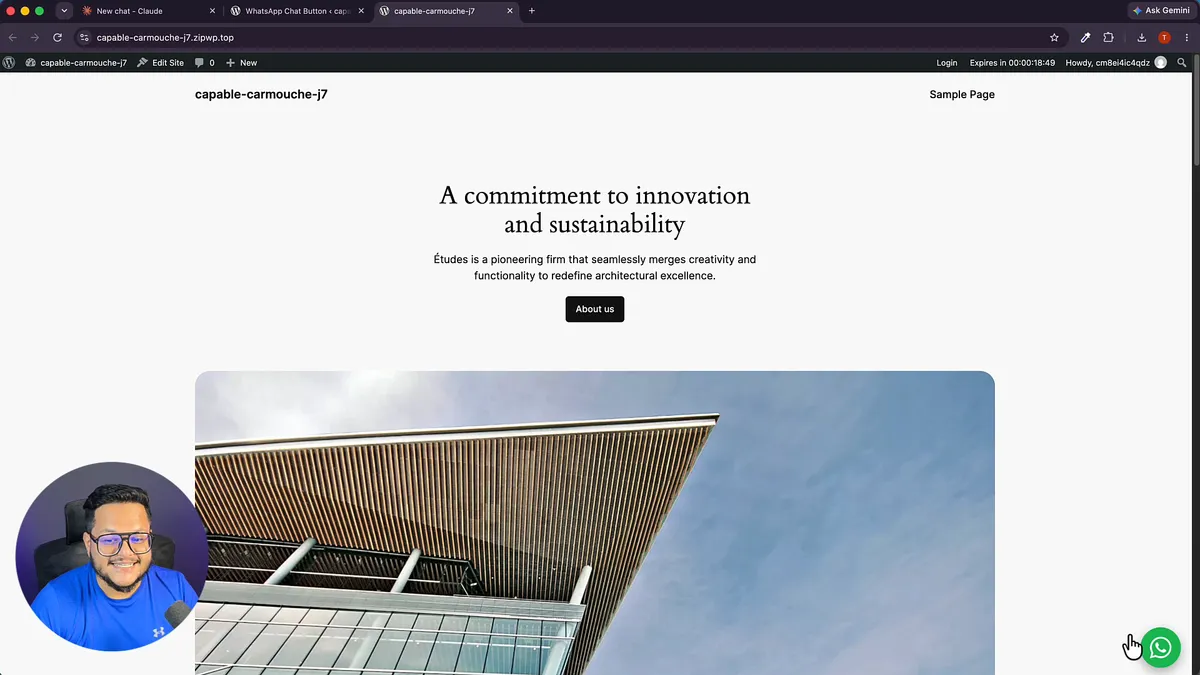
And then I tell people the uncomfortable part: I checked absolutely nothing. No review, no testing, no security check. If there is even one mistake in that file (and there easily could be, because I didn’t look), that’s not a small bug. That’s a hole in your website, and somebody can exploit it.
A plugin that runs and a plugin you can safely put on a client’s site, or sell, are two different things.
“But security is the developer part, I can’t do that”
That’s what most people think at this point. To be honest, it isn’t anymore. You can direct the AI to do all of it without even looking at the code yourself. It’s a five-point checklist you tell the AI to follow, and your plugins will be secured enough for real use.
The 5-point WordPress plugin security checklist
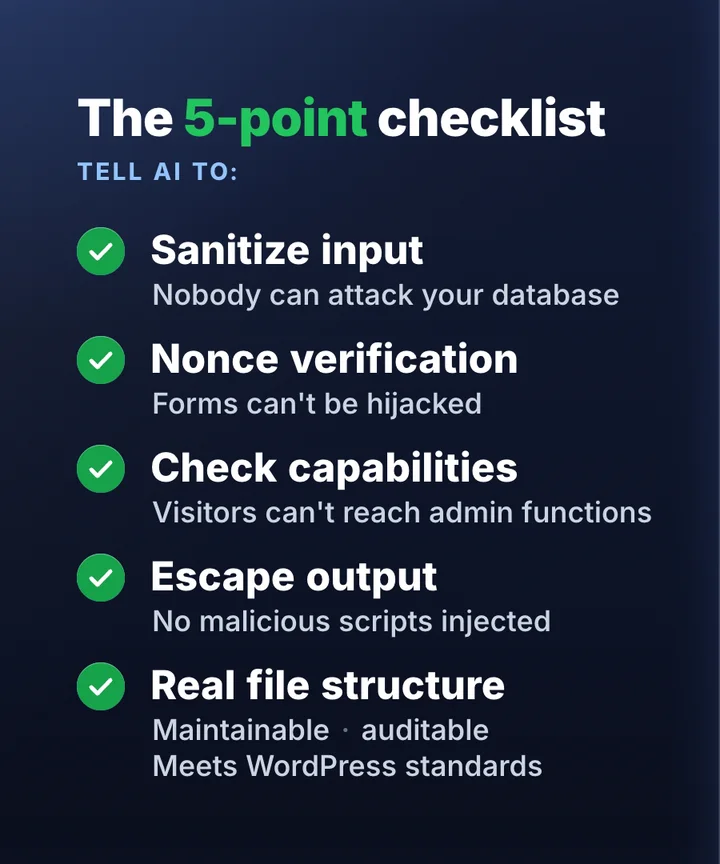
1. Sanitize input, so nobody can attack your database
Anything a visitor or admin types into your plugin (a phone number, a message, a search box) has to be cleaned before the plugin saves or uses it. Otherwise someone can type in something that isn’t a phone number at all and use it to attack your database.
Tell the AI: “Sanitize every input with the right WordPress sanitize function before saving or using it, and use prepared statements for every database query.”
For the curious, the difference looks like this:
// Risky: saves whatever was submitted
update_option( 'wa_phone', $_POST['wa_phone'] );

// Safe: cleaned first
update_option( 'wa_phone', sanitize_text_field( wp_unslash( $_POST['wa_phone'] ) ) );
2. Nonce verification, so your forms can’t be hijacked
A nonce is a one-time security token WordPress puts in your forms. It proves the form was submitted from your own site by the person who opened it, not by a trick link on another website.
Tell the AI: “Add a nonce to every form and every action that changes data, and verify it before doing anything.”
// in the form
wp_nonce_field( 'wa_save_settings', 'wa_nonce' );

// when saving
check_admin_referer( 'wa_save_settings', 'wa_nonce' );
3. Check capabilities, so a random visitor can’t reach your admin functions
Every admin action (saving settings, deleting records, exporting data) should first ask WordPress: is this person allowed to do this? Without that check, a logged-out visitor or a low-level user may be able to trigger it.
Tell the AI: “Before every admin action, check the user’s capability (for example manage_options for settings).”
if ( ! current_user_can( 'manage_options' ) ) {
    wp_die( 'Not allowed.' );
}
4. Escape output, so your plugin can’t be used to inject malicious scripts
Sanitizing cleans data on the way in. Escaping makes it safe on the way out, when your plugin prints something on the page. Skip it and your plugin can be used to inject malicious scripts on your website.
Tell the AI: “Escape everything you output with the right WordPress escaping function (esc_html, esc_attr, esc_url).”
// Risky
echo '<a href="' . $link . '">' . $greeting . '</a>';

// Safe
echo '<a href="' . esc_url( $link ) . '">' . esc_html( $greeting ) . '</a>';
5. A real file structure, so it’s maintainable and meets WordPress standards
My 7-minute demo was one PHP file doing everything. It works, but that’s not how a real plugin is built. Anything serious (anything for CodeCanyon or a paying client’s site) should have admin files in an admin folder, core files in an includes folder, and CSS and JavaScript in an assets folder. Not one giant file doing everything at once.
This isn’t about looking professional. It’s about whether you can actually sell the thing: marketplaces reject single-file plugins on structure alone, before they even read your code. And a structured plugin is one you (and the AI) can maintain and audit later.
Tell the AI: “Organise the plugin in a standard WordPress structure: main plugin file, admin/, includes/, assets/css, assets/js. One responsibility per file.”
my-plugin/
├── my-plugin.php
├── admin/
├── includes/
└── assets/
    ├── css/
    └── js/
Copy-paste prompt: make the AI audit its own plugin
Paste this after the AI has built your plugin:
Review this WordPress plugin for security before I install it. Check and fix all five:
- Every input is sanitized with the right WordPress function, and every database query uses
$wpdb->prepare().- Every form and every action that changes data has a nonce, and the nonce is verified before anything happens.
- Every admin action checks the user’s capability first.
- Every output is escaped with
esc_html,esc_attroresc_urlas appropriate.- The plugin uses a standard structure (main file,
admin/,includes/,assets/), one responsibility per file.Then give me a table: for each of the five checks, list the file and function where you applied it. If a check doesn’t apply anywhere, say why.
How to check the AI actually did it (without reading code)
- Ask for the table. The last line of the prompt above is the important part. “I added security” is not an answer. A list of files and functions is something you can hold it to, and gaps show up fast.
- Test as a stranger. Log out (or use a private window) and try to reach the plugin’s admin pages and actions. You should be blocked.
- Run an automated check. WordPress.org’s free Plugin Check plugin scans a plugin for common security and coding-standard problems. Run it on your test site.
- Test on a temporary site first. In the training I use try.new, which gives you a sandbox WordPress site for 30 minutes. Never test a fresh AI plugin on a live site.
Where this fits: step 4 of building plugins with AI
This checklist is the last step of the system I use for every plugin, and the one I teach in the course:
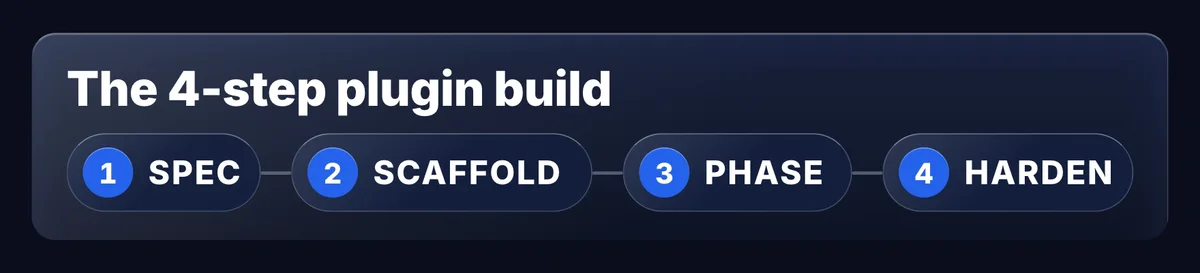
- Spec: get clear on what you’re building before you prompt anything. Vague prompt in, vague plugin out.
- Scaffold: run Claude in a terminal instead of a browser chat, so it builds a real plugin folder from the first minute.
- Phase: build big plugins in small phases, testing and locking each one, so the AI doesn’t quietly rewrite what already works.
- Harden: run this five-point checklist on every plugin before it goes anywhere near a real site.
That’s the difference between something that runs and something you can sell to your clients.
Watch me build a plugin with AI, then fix it.
In my free 29-minute training I build a WordPress plugin live in plain English, then show what’s wrong with it and the system I use instead. No coding.
FAQ
It can be, but not by default. AI tools often produce code that works but skips security steps. Tell the AI to sanitize input, verify nonces, check capabilities, escape output and use a proper file structure, then ask it to show where it applied each one.
No. You direct the AI with the five checks above and make it report where it applied them. Knowing the names of the checks is enough to hold the AI to them.
Yes. A single missing check, such as an admin action without a capability check or output that isn’t escaped, can be a hole that someone exploits. That’s why every plugin should be checked before it goes near a live site.
It’s the security baseline. To sell on a marketplace, the plugin also needs a proper file structure (point 5) and has to pass the marketplace’s own review.